FM27 Comeback Skin
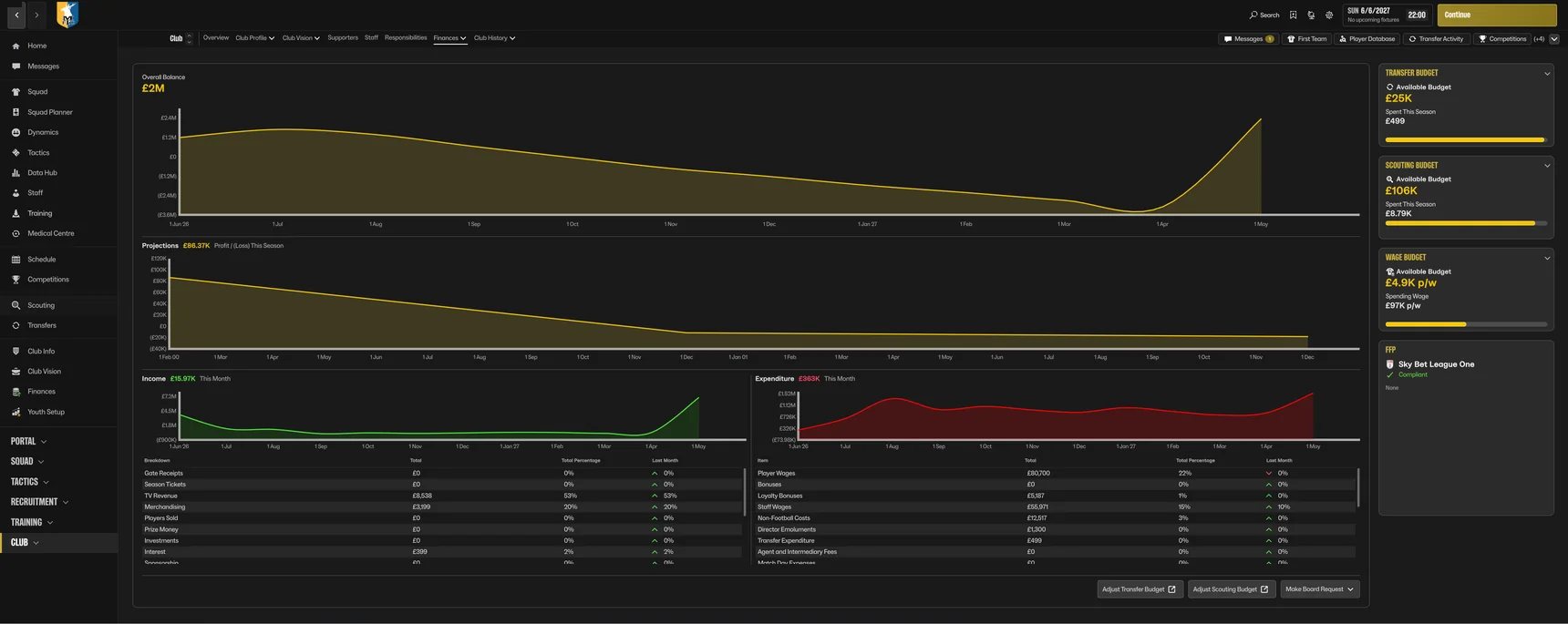
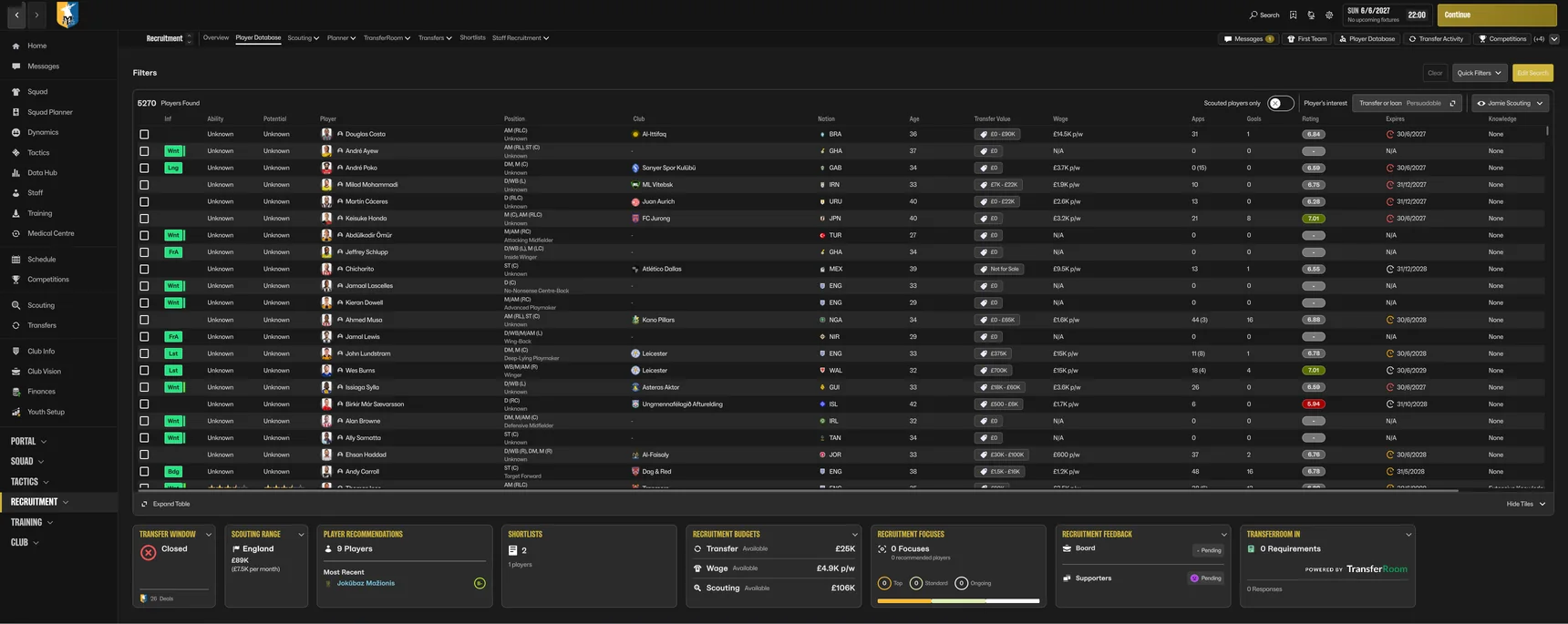
FM24's sidebar is back. One click to every screen, in black and gold, and nothing from FM27 taken away.
- One double-click to install
- No copying files by hand
- Undo any time

What it changes
One-click links run down the left again, like FM24's sidebar, while FM27's own menus stay across the top.
Eighteen links go straight to the screens you use most, from Squad to Finances.
FM27's own menus stay in the top bar with all their dropdowns, so every screen is still there.
A dark sidebar, charcoal panels, gold titles and a gold Continue button, with your club's own colours across the top bar, plus a black loading screen and a start screen to match.
The big competition picture behind every screen is gone, for a clean, flat background that is easier to read.
No hunting for FM's game folder or copying files by hand. Install.bat finds FM27, backs up its files and puts the skin in. Restore.bat undoes it.
New in 1.2: FM27's own menus are back in the top bar and the sidebar is just the one-click links, so it fits every screen, the Steam Deck included. The top bar shows your club's colours again, and the dressing room is back behind the half-time team talk. Version 1.1.3 made in-match Tactics and the team talk use the whole screen.
The sidebar
FM27's own Portal, Squad, Tactics, Recruitment, Training and Club menus stay in the top bar.
More screens
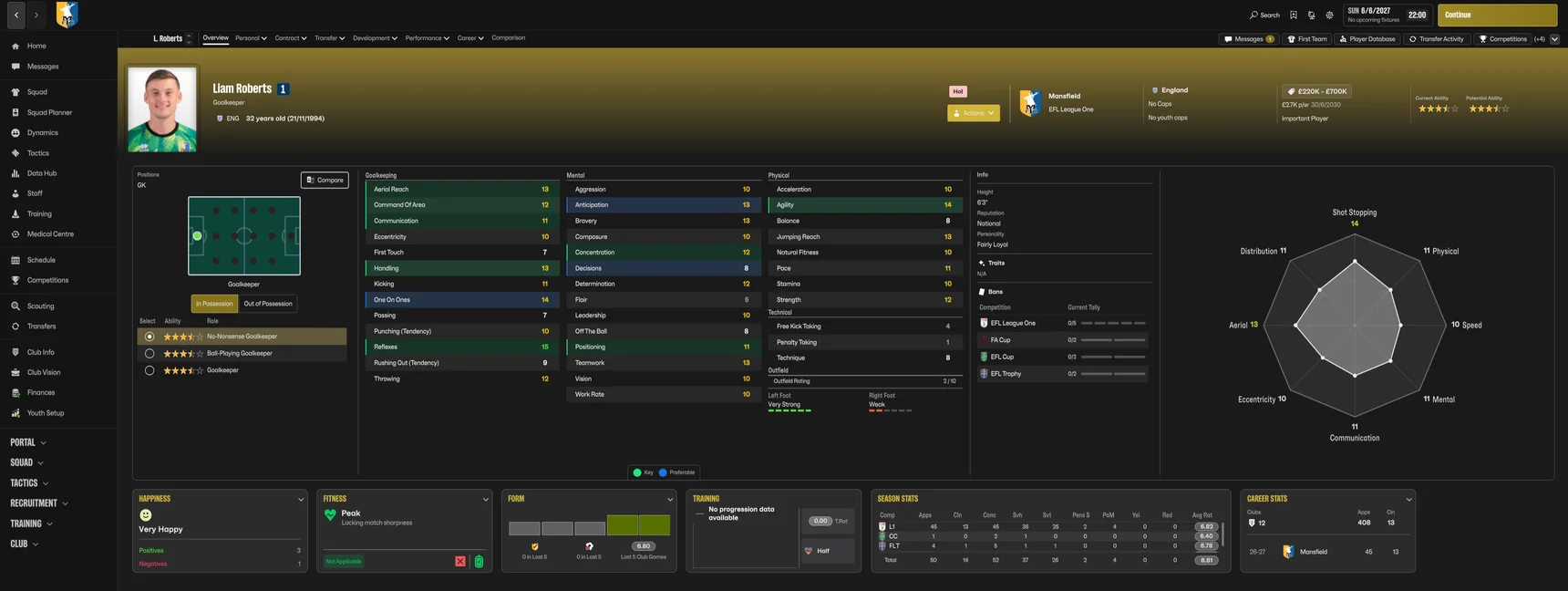
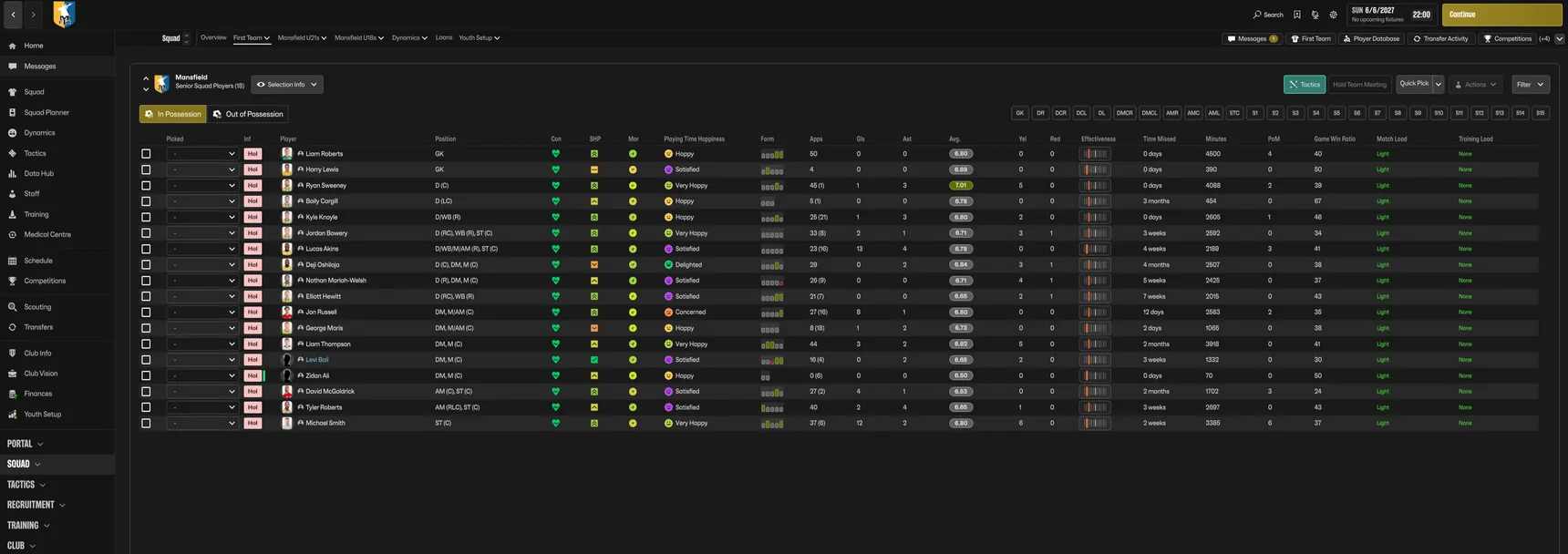
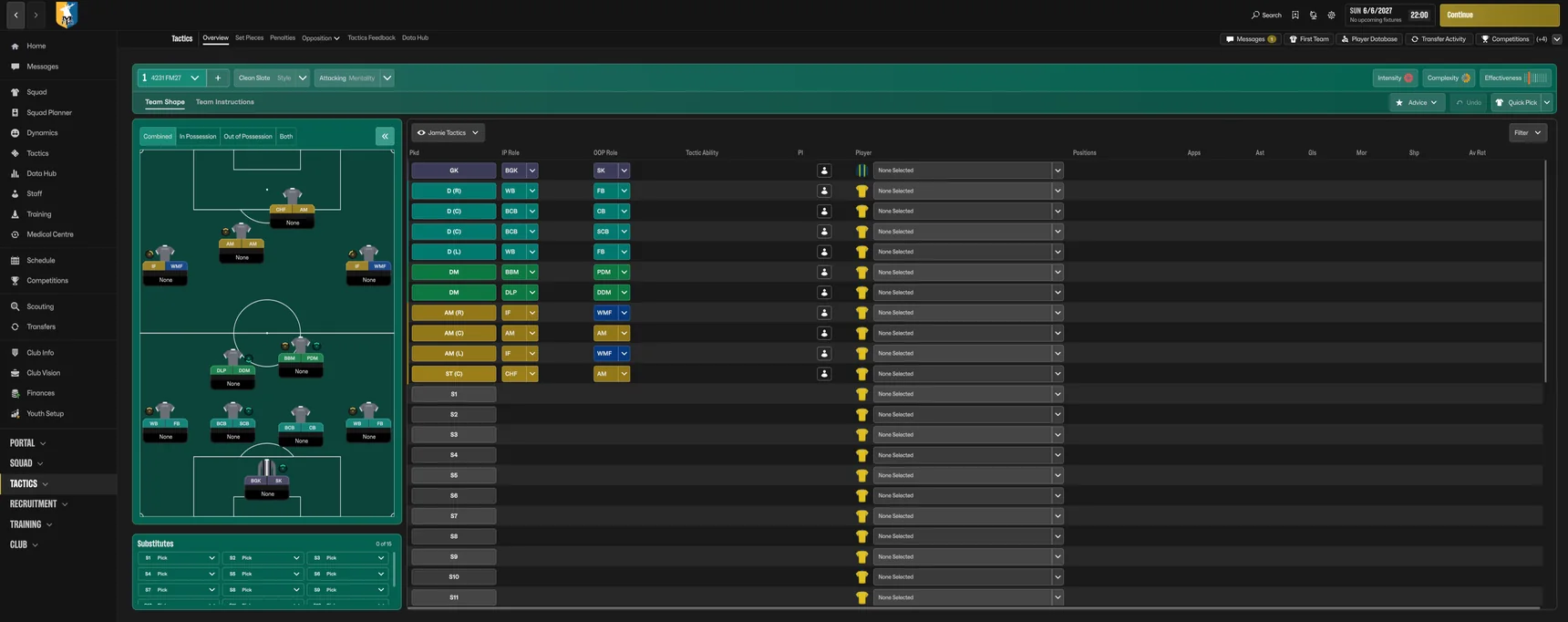
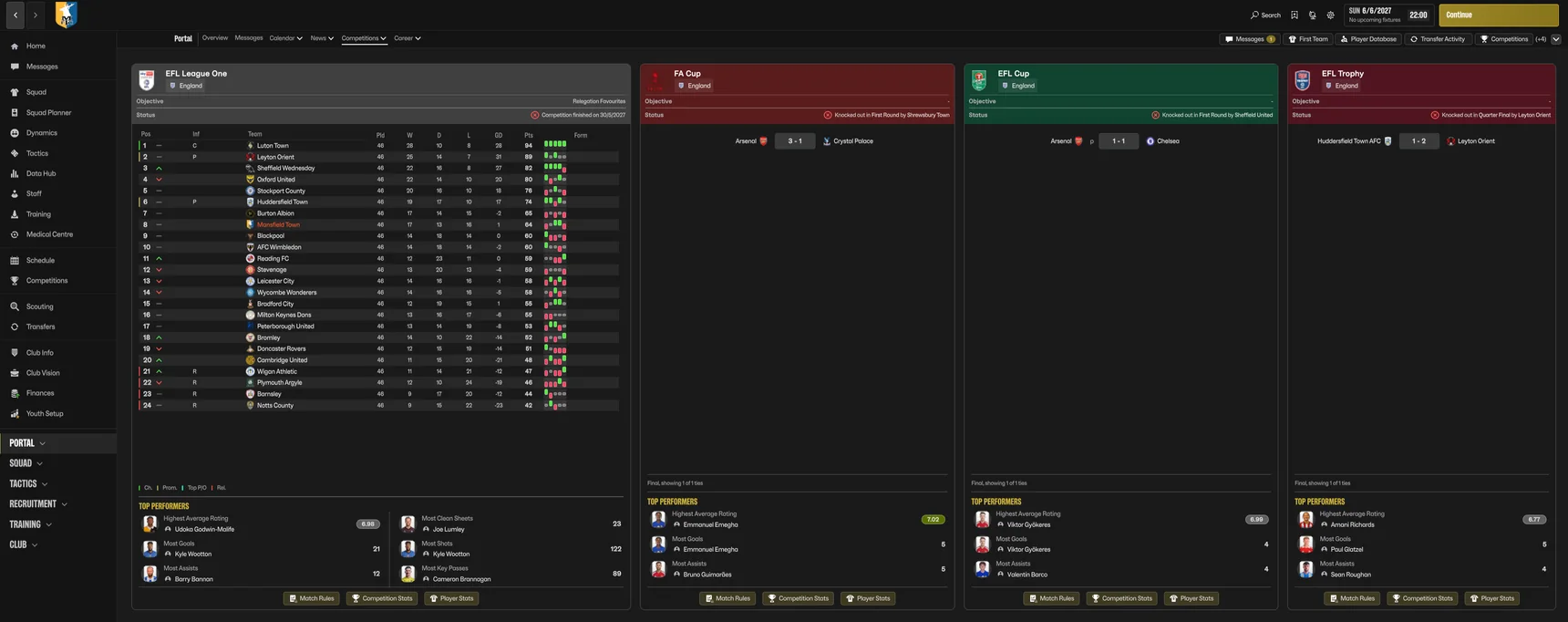
How to install
- Download and extractRight-click the zip and choose Extract All. Do not run anything from inside the zip.
- Close FM27, run Install.batIt finds FM27, backs up the original files and puts the skin in. If Windows warns you, click More info, then Run anyway.
- Start FM27The sidebar is there. To go back, run Restore.bat. Doing it by hand instead? The READ ME in the zip shows how.
This version is for FM27 as it was in October 2026. FM27's full release on 10 November 2026 will need the updated skin, which will be here.
Questions
Is the Comeback skin free?
Yes. No account and nothing to pay. If you like it, you can buy us a coffee, but you never have to.
Does it change my saves?
No. It only swaps five of FM27's interface files for our versions. Your saves, your database and the game itself are not touched.
Do I have to copy files into FM's game folder?
No. Double-click Install.bat and it finds FM27 for you (Steam, Epic or Xbox, on any drive), checks your game version, backs up FM's own files and puts the skin in. If you would rather do it by hand, the READ ME in the zip shows how.
I have an older version. How do I update?
Download this version and run its Install.bat. It updates the skin in place, from any earlier version. To go back to FM's normal look later, verify the game files in Steam, or use Restore.bat from the folder you first installed from.
How do I go back to the normal look?
Run Restore.bat from the download, which puts FM's original files back. Or in Steam, right-click Football Manager 27, Properties, Installed Files, Verify integrity of game files.
What happens when FM27 updates?
Steam replaces FM's files with the new ones, so the skin switches off and FM looks normal again. Come back here for the updated skin. Install.bat checks your game version first and changes nothing if it does not match.
Does it work on Epic, Xbox, Steam Deck or Mac?
It is made and tested on the Steam version for Windows. Epic and Xbox on Windows use the same files, so they should work too, and players are using it on the Steam Deck. It does not work on Mac yet.
Data Hub looks frozen. Is that the skin?
No. The first time you open Data Hub, FM shows a tutorial popup, and on some PCs it never appears, which blocks every click. It happens without the skin too. Reset tutorials in FM's preferences, then open Data Hub and click Understood.
Why is my club's name still orange in league tables?
FM sets that colour in its own code, not in the files a skin can change, so it stays orange. Everything else follows the black and gold look.
Something looks wrong
Tell us in the Discord with a screenshot and your screen size, and we will look at it for the next version.
Get FM24's sidebar back
Free for FM27 on Windows. 12.6 MB, ready in a minute.
Like the skin? Everything we make is free. A coffee helps us keep it updated for every FM27 patch.
Buy us a coffee